Create your 3D space
Welcome to Metasteps! Whether you're a seasoned creator or just stepping into the virtual world for the first time, this guide will walk you through Step 1 in order to create your space using our 3D Studio. Let’s dive in and turn your ideas into immersive realities.
1. Getting Started
- Click “Create Space”
Log in to your account page and click the “Create Space” button. This action will load the 3D Studio—your tool for designing a personalized virtual environment.
- Wait for the 3D Studio to Load
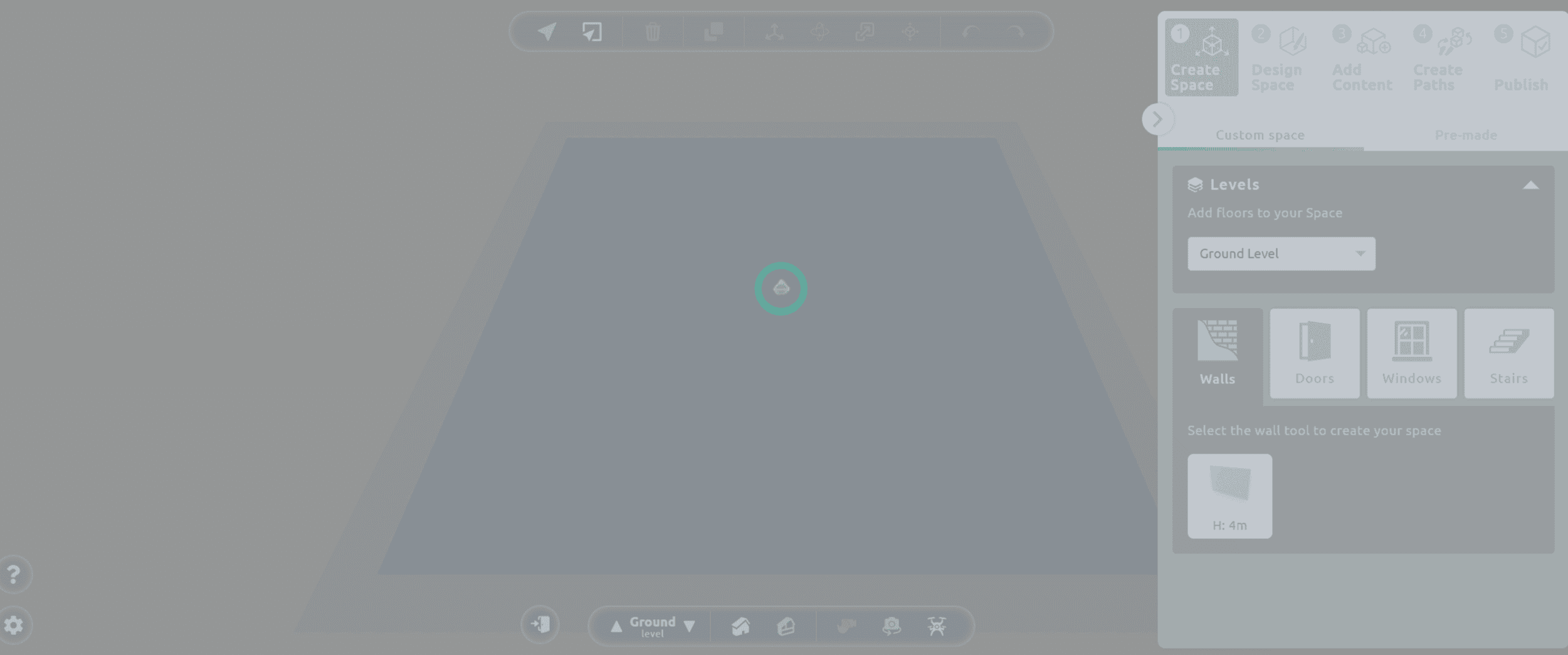
Once the 3D Studio is loaded, you’ll be presented with a user-friendly interface where you can begin creating your virtual project.
- Give your space a title
Before diving into design, give a title to your space. This helps with easy identification in your draft projects.
Important Note: Opening the same space in more than one browser tab or window can cause synchronization conflicts and may result in lost progress. To ensure your work is saved correctly and avoid potential issues, always edit your space in a single tab or window at a time and remember to save your progress regularly.
2. Choose Your Approach
- Build from Scratch: Let your creativity shine by starting with a blank canvas to craft a space from the ground up.
- Use a Premade Template: Select from a diverse collection of professionally designed spaces, each tailored to different themes and needs.
Option 1: Build Your Custom 3D Space
If you prefer full creative control, follow these steps:
- Shape Your Space
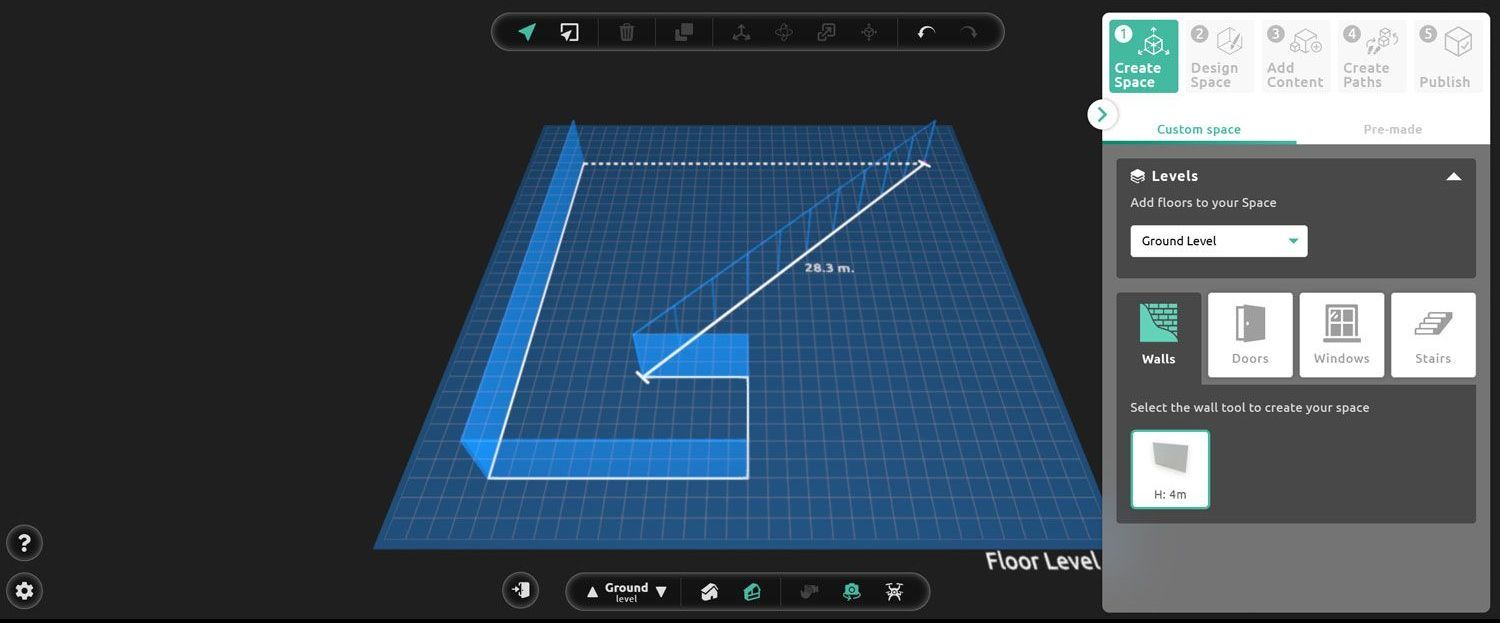
Use the wall tool to design the layout of your space. Add doors and windows to enhance both functionality and aesthetics. Going for an open-air feel? Skip walls entirely and place props, 3D objects and content directly in the open environment.
- Add Levels
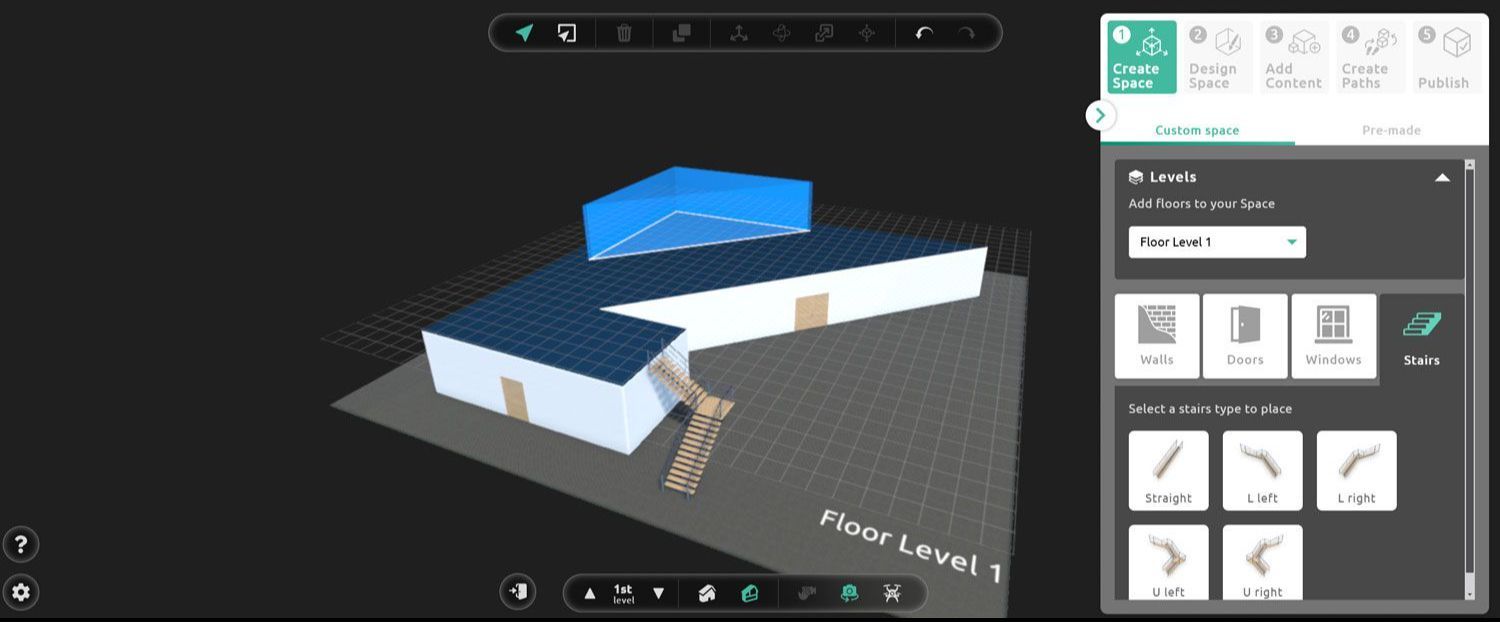
Need more space? You can add up to three levels by clicking the first button below under the custom space tab. Don’t forget to position a staircase from the ground level to the upper floor. This allows your visitors’ avatars to navigate seamlessly throughout the space.
Option 2: Select a Premade Template
Not sure where to start? Choose a premade template! Here’s what you can expect:
High-Fidelity Options
Our templates come with realistic, high-quality graphics suited for a variety of projects, such as:
- Skill-building & learning: Ideal for hosting virtual classrooms, workshops or training sessions.
- Event & live entertainment: Create a sophisticated venue for meetings, product launches, conferences, and live events.
- Cultural & artistic creations: Display digital artwork and expand your influence on a global scale.
- Brands & marketing purposes: Showcase your products in a virtual storefront or create immersive 3D brand experiences.
Flexible Sizes
Some templates are fixed, while others are available in three sizes to suit your project's needs. Feel free to explore and experiment with these spaces at no cost—you’ll only be charged for premium materials or layouts when you publish in Step 5.
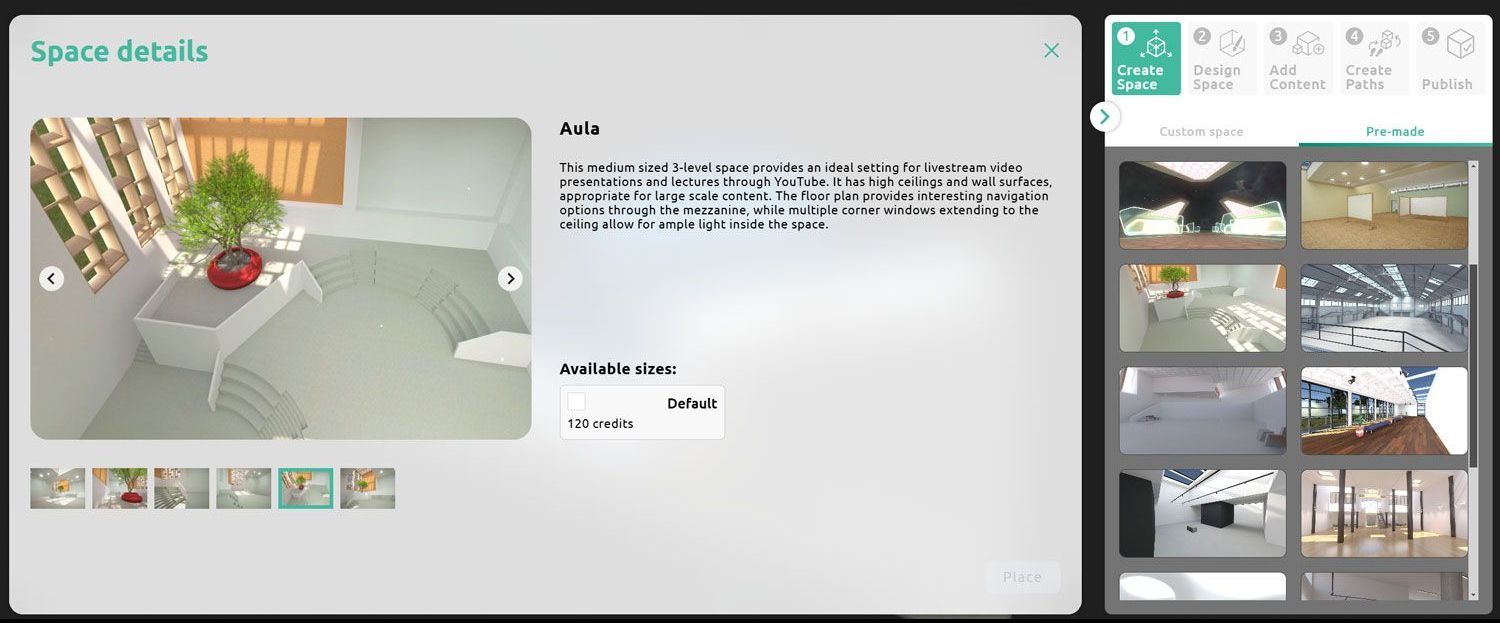
The best part? Even with the premade spaces you have unlimited customization options and you can personalize your space by applying your choice of materials, colours and content to make it truly yours.
Ready to Move On?
Once your layout is complete, you’re ready to move on to Step 2, designing and customizing your 3D space. Experiment with various materials, colors and props to add the perfect finishing touches. Keep refining until you are completely satisfied - your virtual creation awaits!