Publish & Share Your Space
Bring your creation to life by publishing and sharing your 3D space with the world, or with a selected audience, in just a few steps.
You’ve designed, customized, and added engaging content to your 3D space—now it’s time to bring your creation to life! Step 5 in the 3D Studio enables you to publish and share your space with the world, or with a selected audience, in just a few steps.
1. Add Essential Space Info
Start by giving your space the identity it deserves:
- Title: Pick a name that reflects the theme or purpose of your space.
- Description: Provide a brief overview of what visitors can expect.
- Tags: Add keywords to help others discover your space easily on Metasteps’ explore page.
- Cover Image: Upload a captivating cover image to showcase your space before visitors enter.
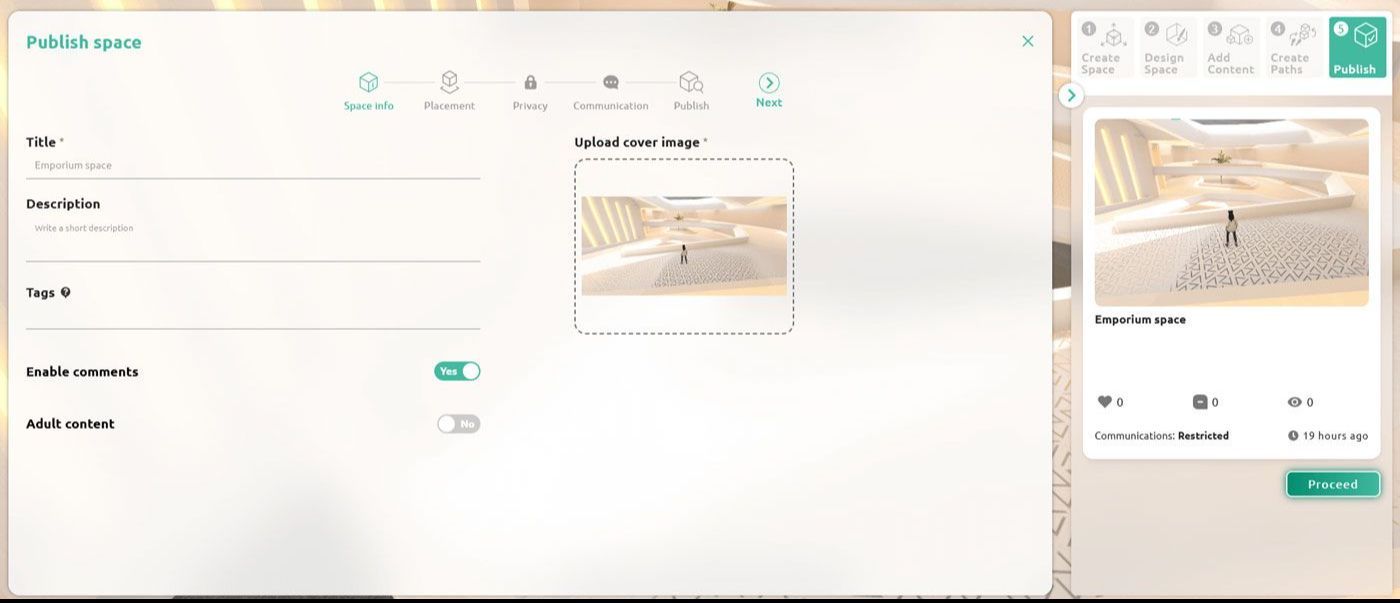
Add the essential space info
2. Placement
Publishing requires an active subscription plan. New accounts include a 14-day trial during which all publishing features are available at no cost.
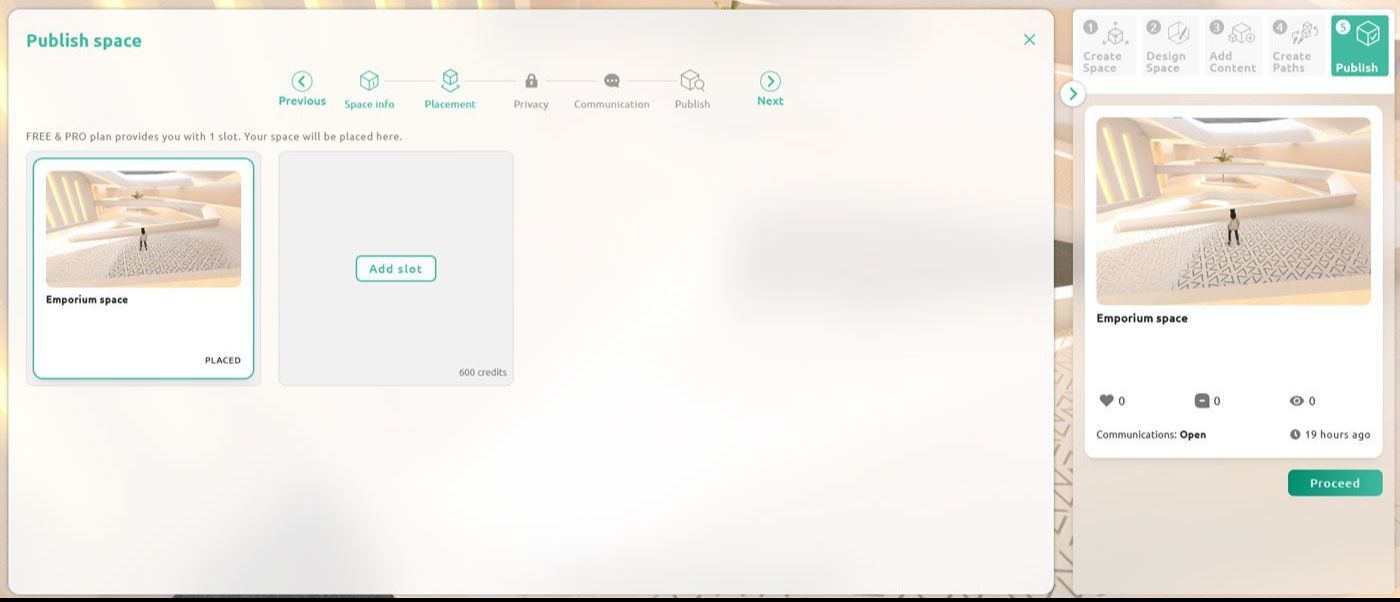
Place your 3D space to a slot in order to publish it
3. Set Privacy Settings
Control who can access your space with privacy options:
- Public Access: Make your space accessible to everyone. Non-Pro users can only publish public spaces.
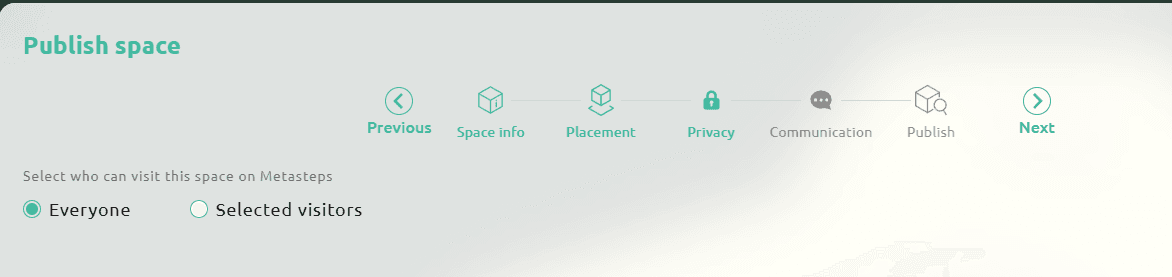
Space accessible to everyone
- Private Access: For audience control, activate the Pro plan, then select registered users or groups that you want to grant access to your space. Find the visitors from the left column and add them to the right column.
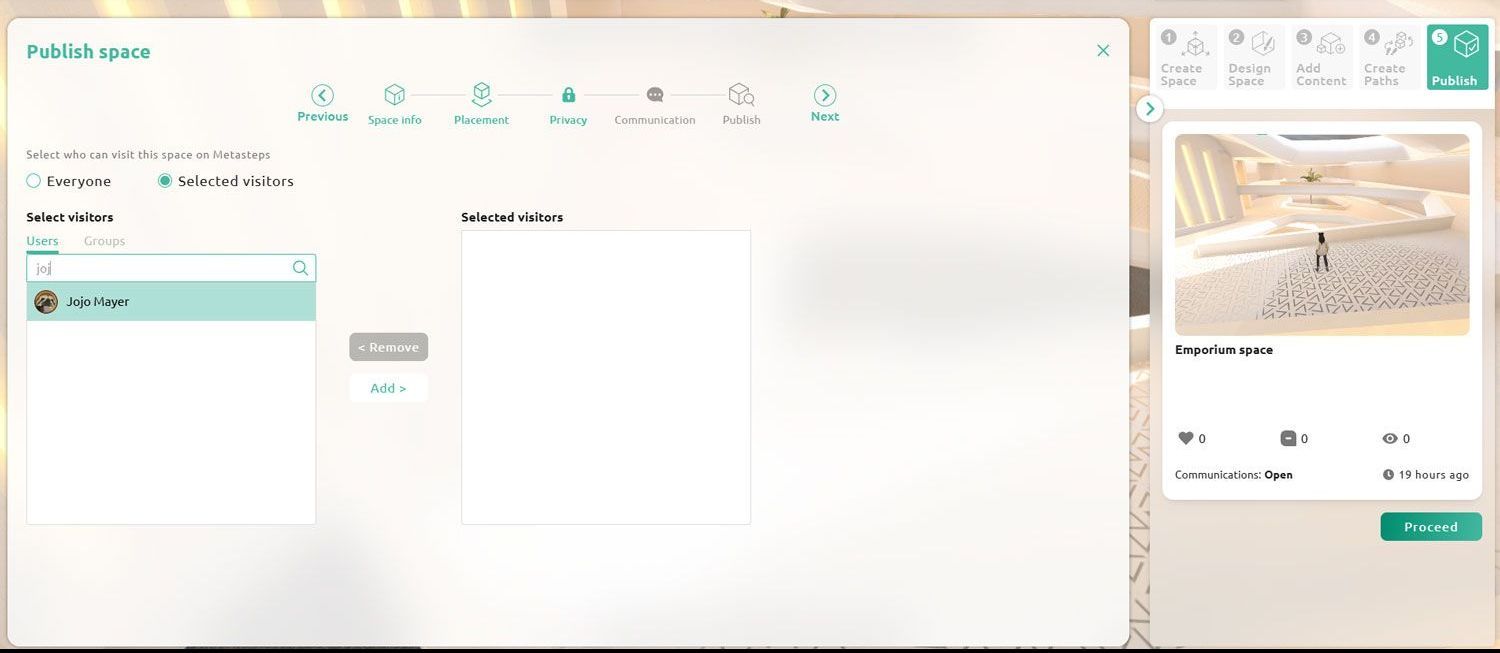
Space accessible only to selected visitors. Find the visitors from the left column and add them to the right column.
4. Customize Communication Settings
Decide how you’ll interact with visitors in your space:
- Public Spaces: Allow communication with all visitors, or limit it to specific individuals for more controlled interactions (requires Pro plan).
- Private Spaces: Communication options are limited to the selected visitors or groups you’ve added under privacy settings. You can further refine interaction settings for smaller groups (included in the Pro plan).
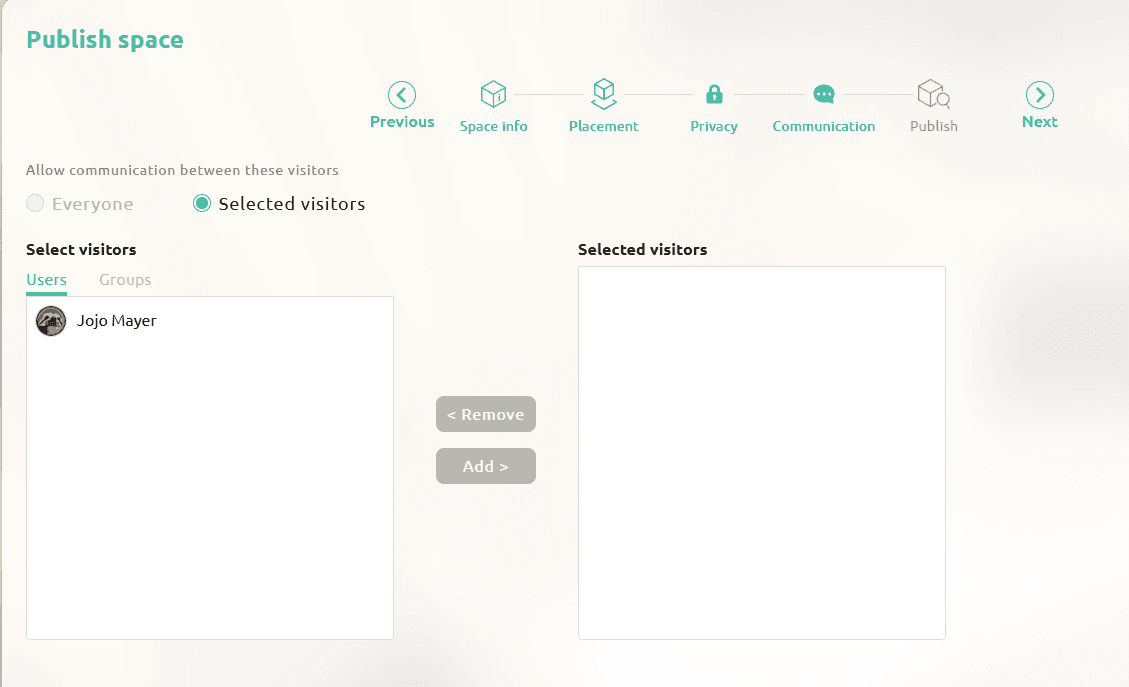
Interact only with selected visitors. Find the visitors from the left column and add them to the right column.
5. Share Your Space
Spread the word effortlessly:
- URL: Share your space’s link.
- Embed Code: Integrate your space into your website.
- Social Media: Post and share directly to your social media channels to reach a wider audience.
Your Virtual Creation Awaits Visitors
Publishing is the final step in your 3D journey, but it’s also the beginning of sharing your vision with the world. Whether public or private, Metasteps makes it easy to showcase your creativity and engage with your audience.